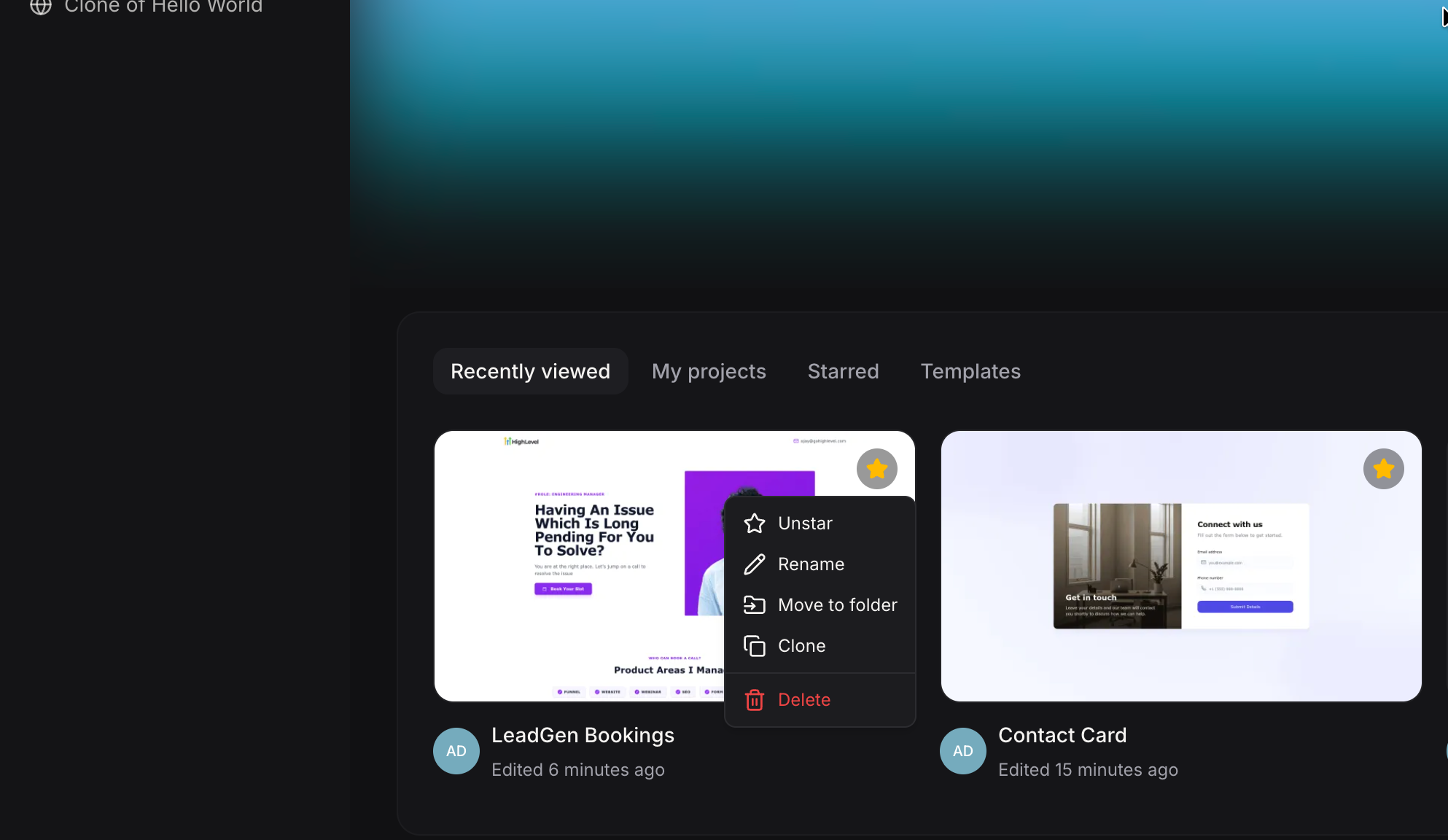
We’re excited to introduce project cloning in
AI Studio
, making it easier to reuse and share your work across your account.What’s new?
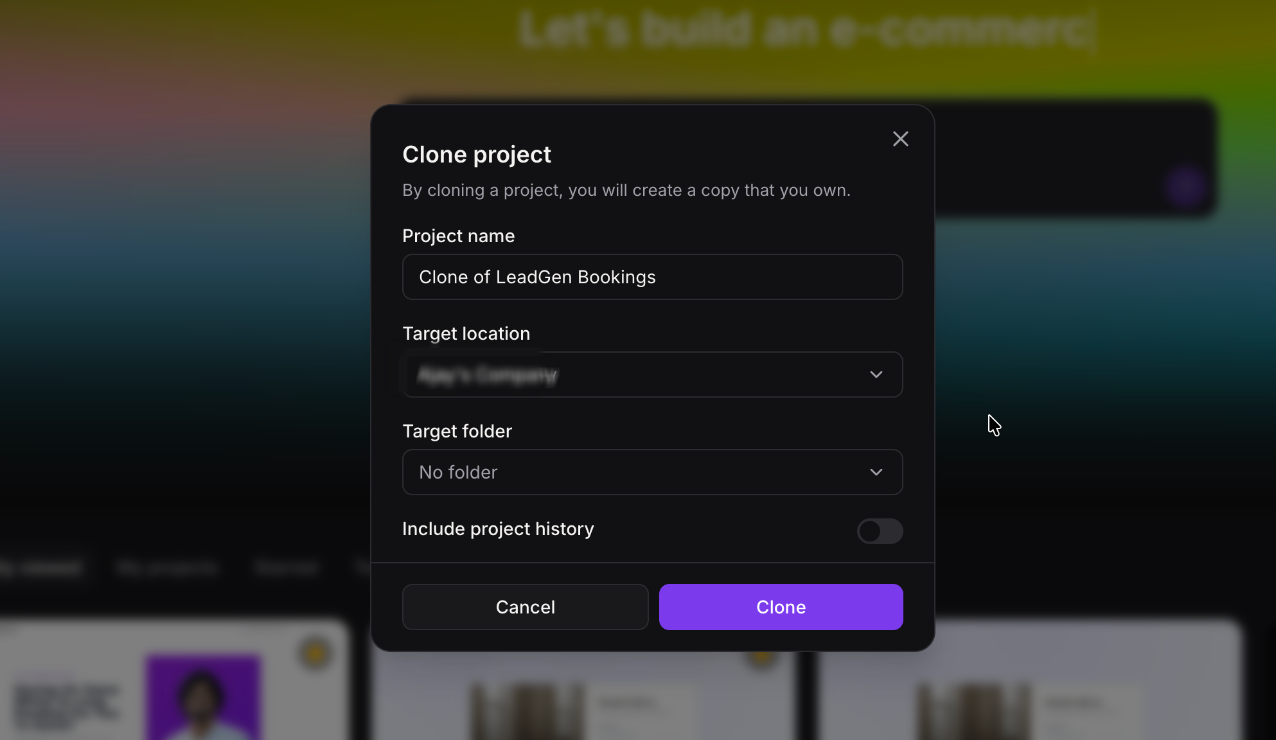
Clone across accounts
You can now clone projects within the same account or across different accounts.
Flexible destination options
Projects can be cloned to the root level or into any existing folder inside AI Studio.
Optional full project history
Choose how you want to clone:
With history: Includes all chat activity and version history from the original project
Without history: Creates a clean copy with no chats or version history
How to enable it?
This feature is enabled by default for all users with AI Studio access. No setup required.
How does this help?
- Easily share projects across accounts
- Quickly distribute templates across your account.
- Save time by reusing existing work instead of starting from scratch
Was this article helpful?
That’s Great!
Thank you for your feedback
Sorry! We couldn't be helpful
Thank you for your feedback
Feedback sent
We appreciate your effort and will try to fix the article